Stripe payments for checkout, subscriptions, and what it costs
What Stripe actually is
Stripe is a payment processor - the service that stands between you and the card networks, moving money from a customer's card to your bank account. When someone pays on a Stripe-powered site or card reader, Stripe validates the card, handles the fraud checks, collects the money, and deposits it with you, all without you ever touching the card number.
That last part is the reason Stripe dominates website payments. Card data is radioactive: storing or transmitting it wrong creates serious legal exposure under PCI DSS, the card industry's security standard. Stripe's design keeps the sensitive bits on Stripe's servers, so your site can take payments without inheriting the compliance burden of a bank.
Three ways to take a payment
Stripe offers a spectrum from zero-code to fully custom, and the right rung depends on what you are selling. Payment Links are the simplest: create a link in the Stripe dashboard, paste it anywhere, and Stripe hosts the entire payment page. No website required, works in an email. The trade-off is a generic experience with almost no branding control.
Stripe Checkout is the middle ground and the most common choice: your site creates a checkout session server-side, the customer pays on Stripe's hosted page, and Stripe redirects them back. You get real branding, Apple Pay and Google Pay, card and bank payments, and the strongest compliance position - this is what we build into client stores.
Fully embedded forms, built with Stripe Elements, put the card fields directly on your own page. The customer never leaves your site. It looks seamless and gives you total control of the flow, but it is the most work to build correctly and brings more of the compliance surface back to you.
More than cards: the other ways to pay
A Stripe checkout is not just a card form. Digital wallets like Apple Pay and Google Pay let customers pay with a fingerprint instead of typing sixteen digits, and Link, Stripe's own wallet, autofills details for returning customers across every Stripe site. These matter more than they sound: every field a customer skips is a small bump in the odds they finish the purchase.
Bank payments suit larger amounts. ACH direct debit costs 0.8 percent capped at five dollars, so a ten-thousand-dollar invoice costs five dollars instead of nearly three hundred. ACH credit transfers run a flat one dollar and wires eight, both useful for clients who pay from an accounts-payable process. And buy now, pay later options like Klarna and Affirm can lift conversion on bigger ticket items by letting the customer split the total - you get paid in full either way.
The nice part is you do not build each method separately. Stripe Checkout shows each customer the methods relevant to them based on their location and device, and every method settles into the same Stripe balance and the same reporting.
Taking payments in person: Tap to Pay and Terminal
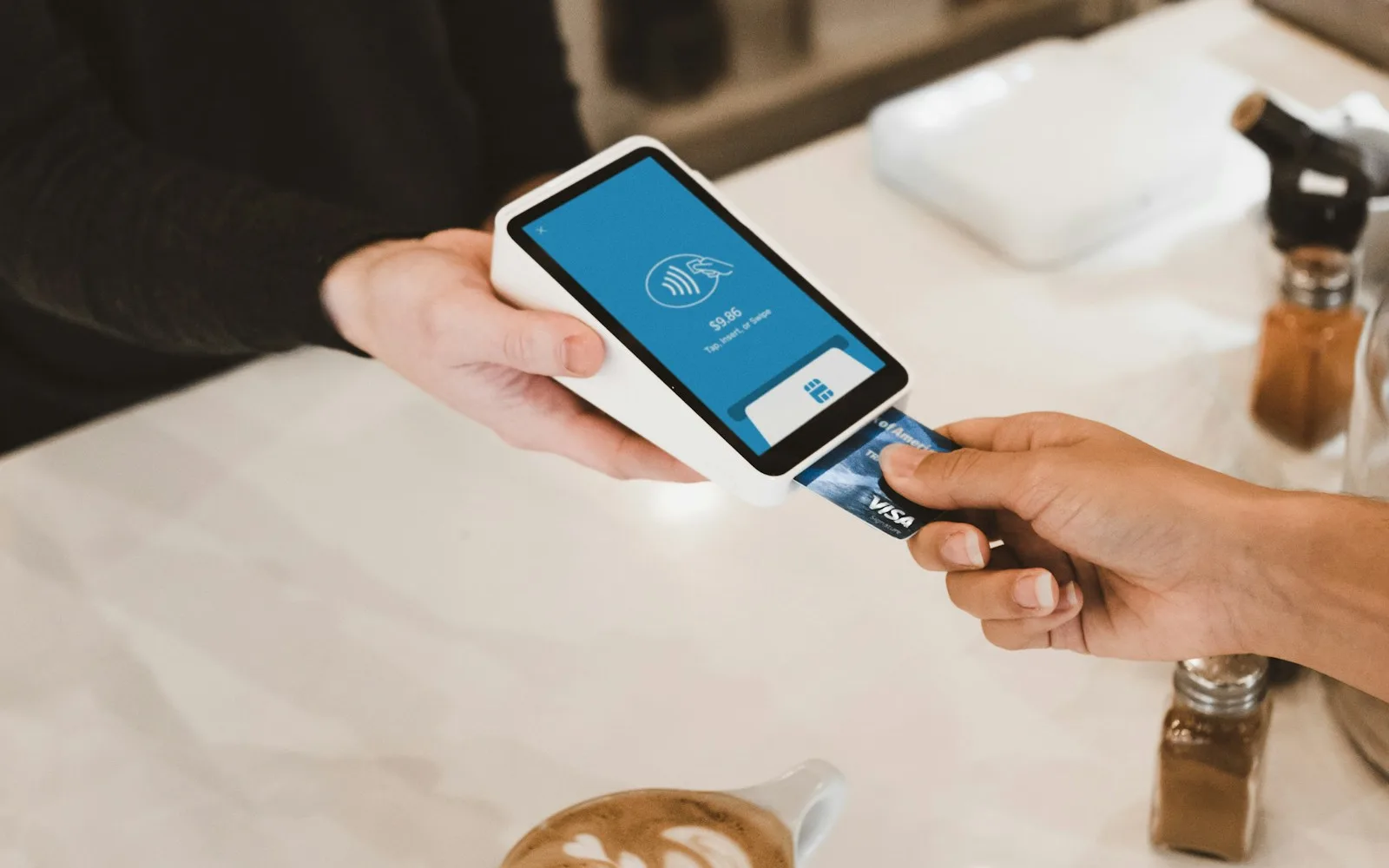
Stripe is not website-only, and this is the part most people miss. There are two ways to take a payment face to face, and the simpler one needs no hardware at all. Tap to Pay turns an iPhone (XS or later) or a compatible NFC-enabled Android into a contactless terminal: the customer taps their card, phone, or watch on your phone and the payment runs through the same Stripe account. It works with no code through the Stripe Dashboard app, or inside a custom app through the Terminal SDK. The catch is that it is contactless-only - no chip slot - and it needs a live internet connection.
The other way is Stripe Terminal, Stripe's actual point-of-sale hardware: pre-certified readers that take tap, chip, and swipe. The lineup ranges from the compact Reader M2 that pairs with a phone or tablet for mobile work, up to the touchscreen Reader S700 countertop unit at $299 and the cellular-connected S710 for locations without wifi. Everything is end-to-end encrypted and managed remotely from the dashboard, and you can run it through a custom point-of-sale integration or Stripe's no-code standalone mode.
Two things make this genuinely useful rather than a footnote. First, in-person transactions process at 2.7 percent plus 5 cents - cheaper than online, because tapped and dipped fraud rates are lower. Tap to Pay adds a 10-cent authorization on top of that rate. Second, online and in-person sales land in the same balance, the same customer records, and the same reports - so a business selling at a market on Saturday and on its website on Monday reconciles once, not twice.
What it costs
Stripe's standard US pricing at the time of writing is 2.9 percent plus 30 cents per successful online card payment, and 2.7 percent plus 5 cents for in-person Terminal transactions - with no setup fee and no monthly fee on the standard plan, so you pay only when you get paid. Cards issued outside the US add roughly 1.5 percent, and currency conversion adds about another 1 percent. Bank payments via ACH debit run 0.8 percent, capped at five dollars, which makes them attractive for large invoices.
A few less-obvious costs are worth knowing. Disputes - chargebacks - cost fifteen dollars the moment one is opened, and another fifteen if you choose to fight it, refunded only if you win. Stripe's add-on products carry their own pricing: Billing for subscriptions charges a small percentage of recurring billing volume, Tax charges a small per-transaction fee for automatic tax calculation, and instant payouts cost 1 percent of the payout. And the processing fee is not refundable: when you refund a customer, Stripe keeps the original fee.
Compare the whole picture, not just the rate. A platform that charges nothing per transaction but takes a monthly cut of revenue, or a provider that locks your customer list inside its system, can cost more than 2.9 percent in the ways that count.
How the money actually reaches your bank
A payment and a payout are different events. When a customer pays, the money lands in your Stripe balance, not your bank. Stripe then pays the balance out on a rolling schedule - typically two business days in the US - grouped into a single deposit. Instant payouts to a debit card are available for a 1 percent fee when you need cash faster.
Two honest caveats. First, your very first payout takes longer - often a week or two - while Stripe finishes verifying the business, so do not schedule rent around it. Second, Stripe is not a bank and does not hold deposits; it works with partner banks, which is why a real bank account in the business's name is required. If your business is brand new or in a category Stripe considers risky, expect extra verification or a rolling reserve - a small percentage held back as a buffer. That is not a Stripe quirk, it is how every legitimate processor manages risk, and it is worth planning around rather than discovering mid-month.
Disputes and refunds: the cost nobody plans for
A dispute happens when a customer calls their bank instead of calling you. The bank pulls the money back through the card networks, Stripe deducts it from your balance plus the fifteen-dollar fee, and you get a deadline to submit evidence - receipts, tracking, communication records, terms the customer accepted. The card network decides, not Stripe, and the process can take months. Fight and win and the money plus the counter fee come back; lose and you are out the sale plus thirty dollars in fees.
Prevention beats fighting. Most disputes trace to three causes: the customer did not recognize the charge (so the business name on statements matters), they could not reach anyone about a problem, or the product disappointed relative to the promise. Clear billing descriptors, a visible refund policy, and answering email fast do more for your dispute rate than any tool. For fraud specifically, Stripe offers optional Chargeback Protection at 0.4 percent per transaction, which covers fraud-related disputes and waives the dispute fee.
Refunds are the polite version - you issue them from the dashboard and the money flows back, but Stripe keeps the original processing fee. On a small transaction that is thirty cents plus the percentage; on a large one it is worth remembering before you promise no-questions-asked returns.
Fraud protection and the flip side
Every payment runs through Stripe Radar, a fraud-screening layer trained on data across Stripe's network and included in standard pricing. It scores each charge for risk and can block or flag suspicious patterns, and Stripe can require 3D Secure - the bank's own verification step - when a payment looks risky or the card issuer demands it. You mostly never see any of this, which is the point.
The flip side is that the same machinery evaluates you. Stripe monitors accounts for signs of risk: unusual volume spikes, high dispute rates, or business categories on its restricted list. The consequences range from extra verification requests to held payouts or a rolling reserve. The way to stay boring is to sell what you said you sell, keep disputes low, and keep your account details current - most businesses never hear from risk review at all.
Security and PCI compliance in plain terms
PCI DSS is the rulebook for anyone who accepts card payments, and it scales with how much card data your systems touch. With Stripe Checkout, the card number goes straight from the customer's browser to Stripe - it never reaches your server. That puts you in the lightest compliance category, a short self-assessment rather than an audit.
This is why we steer every client toward hosted checkout unless there is a real reason to embed. The custom look of embedded fields is nice, but it moves you into deeper compliance territory and adds attack surface for skimming attacks on your own code. The safest payment form is the one your site never sees.
Beyond one-time payments
Stripe is not only for product checkouts. Subscriptions and recurring billing are first-class features: monthly memberships, retainers, service plans, all with proration, free trials, and failed-payment recovery built in - Stripe retries declined cards on a smart schedule, emails the customer before giving up, and updates saved cards automatically when banks reissue them. Invoicing lets you bill clients with a hosted payment page. Payment links work for donations and one-off services. A hosted customer portal lets subscribers manage their own plans and cards without contacting you, and Stripe Tax can calculate and collect sales tax automatically for businesses that need it.
We built exactly this mix into Buncha Vets, a veteran-owned store: one-time product sales, donations, and recurring VIP memberships, all through one Stripe account. The point is that the same integration scales from a single pay-now button to a real revenue system without switching providers later.
Running it day to day
The dashboard is where Stripe earns its keep after launch. Every payment, payout, refund, and customer lives in one searchable place; reports export cleanly for bookkeeping; and your customer list is yours - card details can be migrated to another processor if you ever leave, which is more than most platforms will promise.
A few habits worth building: turn on email notifications for failed payments and disputes since both have deadlines, reconcile the monthly payout report against your books instead of eyeballing it, and skim the balance page weekly so nothing sits unresolved. Payment operations are boring when they are working, and boring is the goal.
Stripe and AI agents: the MCP server
Stripe runs an official MCP server at mcp.stripe.com, which means any AI application that speaks the protocol - Claude, ChatGPT, Cursor, VS Code - can be pointed at your Stripe account with OAuth sign-in and start doing real work. The tool list covers the everyday operations: creating products, prices, payment links, invoices, and refunds, reading customers, disputes, and subscriptions, plus a natural-language layer over the API itself that can search the docs and call read or write endpoints by name.
For development it is genuinely useful: an agent inside your editor can look up the right API call, check your test-mode data, and scaffold the integration without you tabbing between the dashboard and the docs. Stripe also ships a local version you can run with scoped-down tools, and its own documentation recommends keeping human confirmation on and being careful about mixing servers - the same tool-poisoning caution the security research raises applies to anything that can move money.
The bigger story is where this is heading: Stripe co-built the open Agentic Commerce Protocol with OpenAI, which powers Instant Checkout inside ChatGPT - customers can discover and buy a product inside a chat, with Stripe handling the payment through a token that never exposes card details. That is a storefront channel that did not exist two years ago, and it runs on the same MCP plumbing described in this article.
How an integration actually works
On a custom site, the flow has three moving parts. Your site creates a checkout session on the server side - never in the browser, where prices could be tampered with - and sends the customer to Stripe's hosted page. Stripe handles the payment, then redirects the customer back to your success or cancel page.
The critical piece most DIY setups get wrong is fulfillment. A customer reaching the success page does not prove payment completed - network hiccups and abandoned tabs happen. The reliable signal is a webhook: Stripe calls a private endpoint on your server with a signed confirmation, and that is what should trigger the order, the email, or the membership activation. Any integration that trusts the redirect alone will eventually ship an order nobody paid for.
What you need before you start
Stripe itself is quick to set up - the paperwork is mostly proving you are a real business:
- Business details: legal name, address, and tax ID or SSN for sole proprietors
- A bank account for payouts, which typically arrive on a two-day rolling schedule
- A website or at least a page describing what you sell
- Your refund, shipping, and privacy policies - underwriters check for them
- Clarity on what you are selling: products, services, subscriptions, or donations each configure differently
Stripe versus the alternatives
Square is Stripe's closest rival and fine for in-person plus online mixes, though its online tooling is thinner. PayPal is nearly universal and worth offering alongside cards as an option, since some customers trust it - but as a sole processor it is clunkier. The built-in checkouts inside Shopify or Wix are convenient but lock your payments inside that platform, which is the same ownership trade-off as the site itself.
Our honest position: for a custom website, Stripe is the default choice because it is developer-first, the documentation is excellent, and your customer relationships stay portable. We are biased - it is what we integrate - but the reasoning stands on the fees and the compliance story above.
When a custom integration is worth it
If a payment link covers your need, use it - do not pay for custom work a free tool already does. Custom integration earns its cost when the payment flow IS the business: subscriptions with your own rules, a checkout tied to your inventory, deposits that convert to bookings, or a storefront that needs to match your brand exactly.
If you are weighing this for your site, book a free call and tell us what you are selling. We will tell you plainly whether a payment link, Checkout, or a custom flow fits, and what each would involve. For the technical background, our website development page explains how we build.